Choosing the right h200 ai server manufacturer is not only a pricing exercise. It is a decision about performance, reliability, service, and long-term deployment risk.
A strong manufacturer should clearly document its server architecture, GPU configuration, networking options, storage design, and cooling strategy. Ask how the system performs under sustained workloads, not just short benchmark tests. A rack may look impressive in a showroom, yet fail when temperatures rise and workloads continue overnight. Practical evidence matters.
Request detailed power estimates, thermal data, warranty terms, and replacement procedures. Confirm whether the supplier has experienced engineers who can support installation, firmware updates, diagnostics, and cluster integration. References from research labs, cloud providers, or enterprise customers can reveal details that brochures often omit. Independent validation is valuable, although it may not answer every operational question.
The best partner should also explain supply-chain limitations honestly. Delivery schedules, spare parts, and regional support can affect project success as much as raw compute performance. Ask for a realistic total-cost estimate, including networking, racks, electricity, maintenance, and cooling. Hidden costs are common.
A manufacturer with transparent testing practices usually earns more trust. Still, no vendor is perfect. Claims deserve verification, and assumptions should be recorded before signing a contract. Compare several proposals using the same workload, power target, and service expectations. This approach helps organizations identify a dependable h200 ai server manufacturer, rather than simply choosing the lowest quoted price. Performance matters. So does what happens afterward.
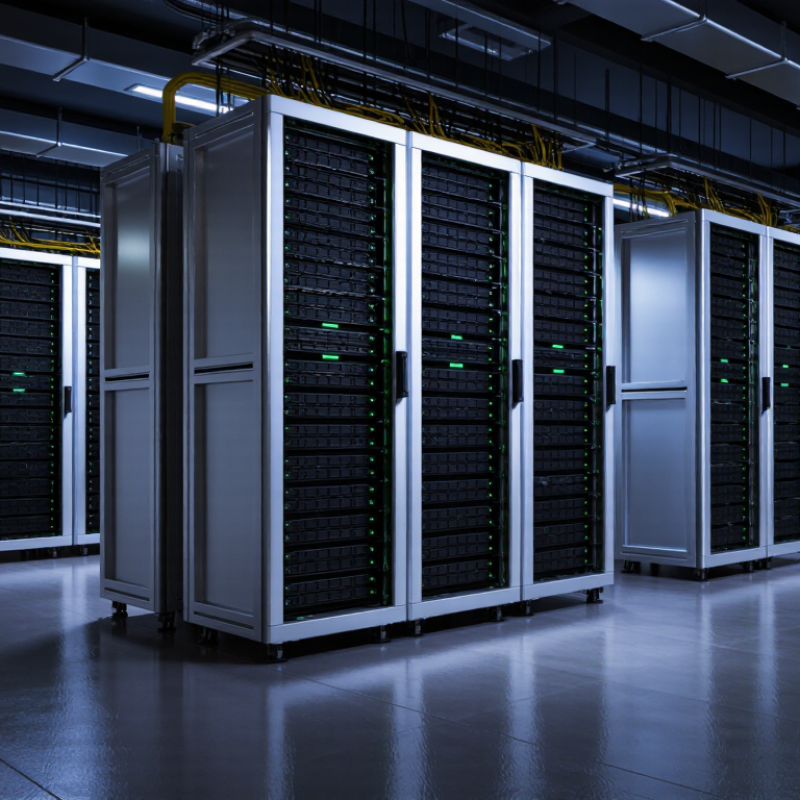
Define H200 Requirements: 141GB HBM3e and 4.8TB/s Memory Bandwidth
How to Choose the Best H200 AI Server Manufacturer?
A serious H200 server evaluation starts with memory, not marketing slogans. Each accelerator provides 141GB of HBM3e, supporting large models and demanding inference workloads. Its 4.8TB/s memory bandwidth can reduce data movement delays during training. However, advertised bandwidth does not guarantee equal application performance. Workload design, software optimization, and communication between accelerators still matter.
Ask manufacturers for measured results from comparable models and batch sizes. Request details about cooling, power delivery, chassis airflow, and accelerator placement. A dense server may perform well briefly, then throttle under sustained workloads. I have found that thermal evidence is often less clear than the specification sheet. This is an area worth questioning carefully. Also verify firmware support, upgrade procedures, warranty coverage, and remote monitoring features. These details influence reliability after deployment.
Tips:
Test a representative workload before purchase. Check whether memory capacity matches your model size and context length. Confirm the full system can maintain stable performance for several hours, not just during a short benchmark. Leave some capacity for future software changes. Perfect planning is impossible. Good documentation reduces expensive surprises.
Compare Server Architectures: 700W SXM TDP and 900GB/s NVLink
Choosing the best H200 AI server manufacturer requires more than comparing GPU counts. The system architecture decides how efficiently those GPUs exchange data. A 700W SXM design demands strong power delivery, liquid cooling, and carefully balanced airflow. In real deployments, poor thermal tuning can reduce sustained performance, even when peak specifications look impressive. Ask manufacturers for measured workload results, not only laboratory numbers.
The 900GB/s NVLink connection is important for large language models, scientific computing, and distributed training. It helps GPUs share parameters with lower communication delays. However, bandwidth alone does not guarantee faster results. CPU topology, memory capacity, PCIe layout, network adapters, and software support also influence throughput. Experienced suppliers should explain these relationships clearly and provide test conditions, firmware details, and maintenance procedures. Some published comparisons still overlook idle power and throttling. That omission deserves attention.
Tips: Request a full power budget for every SXM module, cooling component, and network card. Check whether the manufacturer validates sustained 700W operation under continuous workloads. Confirm that the platform can maintain near-900GB/s interconnect performance during multi-GPU training. Review service response times, spare-part availability, and remote monitoring features. A practical pilot test is valuable. It may expose rack density, noise, or deployment issues that datasheets miss. Avoid choosing the lowest quotation without examining long-term electricity and maintenance costs.
Assess Manufacturer Expertise Through MLPerf FP8 Performance Results
Choosing an H200 AI server manufacturer requires more than checking memory capacity or a polished specification sheet. MLPerf FP8 results provide a measurable view of engineering expertise. Review the exact submission, including the model, batch size, accelerator count, software stack, and power settings. A score without configuration details is difficult to trust. Ask whether the manufacturer reproduced the result internally under documented cooling and networking conditions. That conversation reveals practical experience.
Numbers can mislead.
Compare FP8 throughput, latency, and scaling efficiency across similar system configurations. Strong results often reflect careful kernel optimization, data loading, interconnect tuning, and thermal management. Check the benchmark date and software versions, because older results may not represent current performance. Also examine whether the tested configuration matches your planned deployment. A smaller system with consistent scaling may serve you better than a larger system with impressive peak numbers.
Request evidence beyond a single leaderboard entry. Reliable manufacturers should explain calibration methods, monitoring procedures, and performance variation during extended workloads. Ask for a test report showing GPU temperature, power draw, utilization, and failure recovery. I have found that operational details frequently matter more than a peak score. Yet MLPerf is not your entire workload. Your models may behave differently, especially with uneven data or changing batch sizes. Leave room for doubt, run a representative pilot, and document every assumption before signing a purchase agreement.
Audit Reliability: NVIDIA-Certified Designs, Cooling, and Uptime SLAs
Choosing the best H200 AI server manufacturer begins with evidence, not an attractive chassis or polished sales language. Request certification records for the accelerator platform design, motherboard layout, power delivery, and firmware compatibility. Verify whether the shipped system matches the tested configuration. A certified design reduces integration risk, but it does not guarantee dependable operations.
Cooling deserves a physical review. Inspect airflow paths, fan redundancy, filter access, and temperature sensors during sustained workloads. Ask for thermal test results at full GPU utilization, not just brief benchmark runs. Rack density matters too. A server that performs well in a cool lab may throttle inside a crowded data center. Paper compliance is not enough.
Uptime service-level agreements should define measurable response times, replacement windows, and escalation contacts. Look for incident reports, maintenance procedures, and spare-parts coverage near your operating region. Confirm whether downtime excludes thermal alarms, firmware faults, or customer-installed software. Those exclusions can change the real promise. During evaluation, run a multi-day workload and record temperatures, power draw, error logs, and recovery behavior. Keep the evidence. Some manufacturers provide impressive figures, yet their support process remains unclear. That gap deserves direct questions. I would also ask for customer references with similar rack density and workload patterns, because generic testimonials rarely reveal operational weaknesses.
How to Choose the Best H200 AI Server Manufacturer?
Audit Reliability: NVIDIA-Certified Designs, Cooling, and Uptime SLAs
The chart shows the maximum downtime permitted by common annual uptime SLA levels, calculated over a 365-day year. When evaluating an H200 server manufacturer, verify design certification, cooling validation under sustained GPU load, maintenance exclusions, monitoring coverage, and whether the promised SLA matches the required availability target.
Calculate 3-Year TCO: GPU Count, Energy, Maintenance, and Support
Choosing an H200 AI server manufacturer should begin with a three-year total cost of ownership model, not the purchase quote. Define the workload first. Training frequency, inference volume, and expected growth determine the right GPU count. An eight-GPU system may suit large training jobs, but smaller deployments could waste capacity. That waste becomes expensive.
Record each GPU’s rated power, server consumption, cooling load, and local electricity price. For example, eight 700-watt GPUs can draw 5.6 kilowatts before CPUs, memory, storage, and fans are included. Apply the data center’s PUE, then multiply usage hours across 36 months. Keep peak and average loads separate. They are rarely identical. A spreadsheet with monthly scenarios is more useful than one optimistic estimate.
Maintenance requires equal attention. Include spare parts, technician labor, firmware support, and possible downtime. Ask manufacturers for documented replacement times and clear service-level terms. A low-cost contract may exclude on-site repairs or after-hours assistance. Compare warranty duration, diagnostic procedures, and support locations. Request references from installations with similar GPU density. Their experience can reveal issues hidden in technical brochures.
Some assumptions will be wrong. Electricity prices may change, and utilization may remain below expectations. Review the model quarterly. A practical comparison should show purchase cost, energy, maintenance, support, and lost production time in separate lines. Suppliers that explain these assumptions openly are easier to evaluate.
How to Choose the Best H200 AI Server Manufacturer? — Calculate 3-Year TCO: GPU Count, Energy, Maintenance, and Support
Three-year total cost of ownership comparison for anonymous H200 server configurations. Values are planning estimates in USD and should be replaced with supplier quotations before procurement.
Calculation basis: Energy cost = estimated IT load × 8,760 hours/year × 3 years × PUE of 1.40 × electricity rate of $0.12/kWh.
Maintenance cost: Initial hardware cost × annual maintenance rate × three years. Maintenance excludes major component replacement outside the service agreement.
Support cost: Includes remote technical support, firmware guidance, ticket management, and standard replacement coordination. On-site labor and expedited parts may cost extra.
Selection guidance: Compare GPU density, validated cooling design, power-delivery redundancy, replacement-part lead time, remote-management capability, warranty terms, and support response time—not only the purchase price.
Important: The figures are non-branded planning estimates based on representative enterprise server economics. Actual pricing, power draw, maintenance rates, and service coverage vary by configuration, region, workload, and contract terms.
FAQS
Request records covering the accelerator platform, motherboard layout, power delivery, and firmware compatibility. The shipped system should match the tested configuration. Certification reduces integration risk. It does not guarantee reliable operation.
Inspect airflow paths, fan redundancy, filter access, and temperature sensors. Ask for thermal results during sustained, full-GPU workloads. Short benchmark tests can hide overheating.
A server may perform well in a cool laboratory but throttle inside a crowded rack. Check intake temperatures, exhaust clearance, and neighboring equipment. Paper compliance is not enough.
It should state response times, replacement windows, escalation contacts, and maintenance procedures. Confirm whether thermal alarms, firmware faults, or customer-installed software are excluded. Those exclusions matter.
Run a multi-day workload and record temperatures, power draw, error logs, and recovery behavior. Keep the evidence. One brief test may create false confidence.
Include purchase price, electricity, cooling, maintenance, support, and lost production time. Separate peak power from average power. They are rarely identical.
Record GPU power, server consumption, cooling load, electricity prices, and expected operating hours. Eight 700-watt accelerators require 5.6 kilowatts before other components. Apply the facility’s PUE to the estimate.
Ask about spare parts, technician labor, firmware support, diagnostic procedures, and replacement times. Check warranty length and regional support coverage. A cheap contract may offer limited assistance.
Review the model quarterly because electricity prices and utilization can change. Our original estimate might be wrong. Show monthly scenarios and include lower-use periods.
Conclusion
Choosing the right h200 ai server manufacturer requires more than comparing GPU prices. Start by defining workload requirements around the accelerator’s 141GB HBM3e capacity and 4.8TB/s memory bandwidth, then evaluate server architectures that can handle a 700W SXM thermal design power and deliver efficient multi-GPU communication through 900GB/s NVLink connectivity. The ideal system should match your needs for model training, inference, data processing, and future expansion.
Manufacturer evaluation should also include proven machine-learning performance, particularly FP8 results from credible benchmark tests. Review certified system designs, cooling capabilities, power delivery, component quality, and uptime service-level agreements to reduce operational risk. Finally, calculate the complete three-year total cost of ownership, including GPU quantity, electricity consumption, maintenance, software integration, warranties, and technical support. A reliable manufacturer should provide transparent specifications, scalable configurations, dependable lifecycle support, and performance that justifies the initial investment over time.

 Arkon Server